Film a Runner Without Losing the Moment
Choose a location, compose for the runner’s approach, and record a clip that will still make sense when it is watched on its own.
In this article
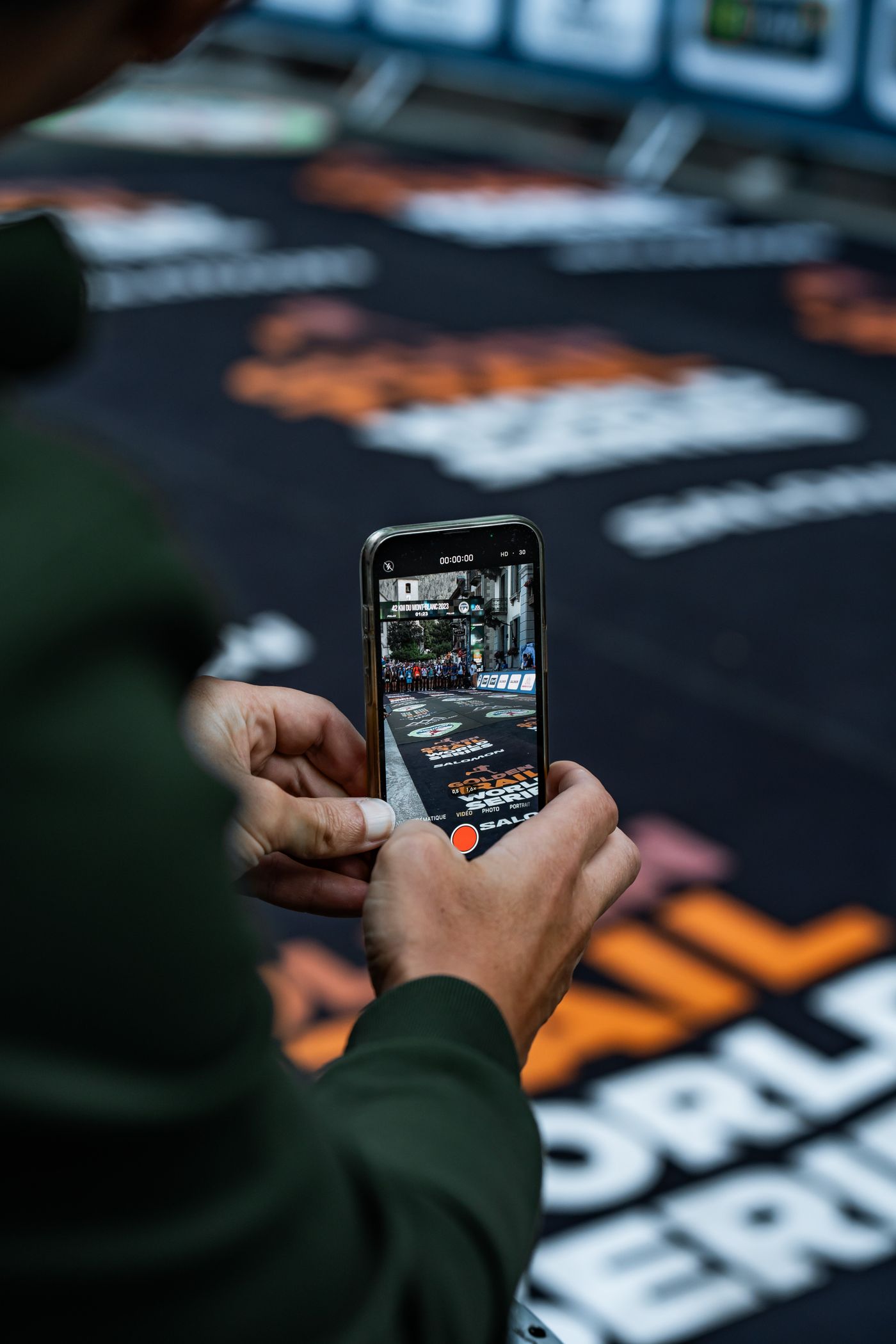
At a road race, there is often a small delay between recognizing the person you came to see and getting the phone to point at them. By the time you find their face on the screen, they are passing sideways, somewhere at the frame's edge. You follow with too much movement, and the finished clip has a clear picture of a barrier, a short glimpse of a runner, and a beautiful stretch of empty road.
The solution starts before you open the camera. Decide where your subject will enter the picture, how far they are likely to be from you, and what the video should communicate. A clip for somebody's family has a different job from a clip made to look at running form. The family wants to see who was there and what it felt like. A form clip needs an angle and enough continuous movement to be useful. Both can work on a phone if you spend your preparation time on the part the phone cannot choose.
Choose a place where you can remain still
Follow the site's rules and the organizers' instructions about where spectators can stand. Stay out of the course and other people's way. Within the available space, look for a clear view of the side of the route where you expect the runner to pass. A place beside a familiar marker can make it easier to predict when the runner will reach you. A barrier or corner may give you a clearer line of sight, but a closer place has little value if moving feet, signs, or spectators fill the frame.
For an identifiable face, consider a position from which you see several strides of approach before the runner reaches you. Shooting perpendicular to the route gives you a side view and very little time to react. Looking slightly down the route can make approaching motion easier to follow and gives the viewer something to anticipate. If you need a side view, pick a stretch in which the person can remain visible for several steps while you stand outside the lane.
Watch other runners pass before the one you want arrives. See whether a sign blocks their lower legs or a cluster of spectators moves at the same time. Note a physical spot where you can begin recording, such as when they reach the tree beyond the crossing. This gives you a cue independent of your ability to recognize a face on a small screen. Be ready for several people to enter together. A slightly wider view may save the shot when the chosen lane is occupied.
Frame the path as well as the person
Begin with enough space in the frame for the direction of travel. If the runner moves from left to right, the right side gives them somewhere to go. A tight crop can work in still photographs, but it makes a video more fragile as the runner's distance changes. Keep a little margin at the top and bottom as well. A cap or shoe that is clipped off in every stride can make the clip hard to use if posture was the point.
Try a normal wide view first. A more magnified view may be useful if the runner is far away and the phone can hold the image steadily, but it will give you less room to recover from a late pan. On a phone whose camera app offers multiple lens choices, compare the useful field of view before the moment arrives. Avoid changing magnification in the middle of an ordinary pass unless you have a reason. The jump in framing can hide the very step or expression you wanted to keep.
Use the orientation that suits the scene and its destination. A wide landscape view leaves room for multiple runners and the approach. A vertical view can be good for a single runner who moves toward the camera and grows larger through the clip. If you will share directly in a particular format, check that format before choosing. When uncertain, preserve the part of the frame you cannot recreate and leave a little space for cropping.
Practice once at the actual speed
Use another unidentifiable pass or make a practice clip with a consenting friend. Hold the phone with two hands if convenient and settle your upper body. Start moving the frame gently before the subject arrives at its closest point if you intend to follow them. Rotate from a stable stance rather than reaching across a railing or stepping into a walkway. A stationary shot can look better than a hectic pan, particularly when several runners arrive together.
Review the practice at normal playback speed. Look for when the subject becomes easy to recognize, whether the framing stays useful, and where it becomes distracting. Check how the camera changes focus or exposure as the subject crosses bright and dark areas. If the app allows locking those settings, test the lock on something near the planned distance and lighting. It may work well for a fixed crossing point and less well for a person moving from far away to very close. Test the behavior each way.
Settings matter only if they solve the problem you observed. A higher capture frame rate can be useful for later slow playback when supported. It may require more storage or more light for a usable result. Regular video is often sufficient to show a recognizable pass and preserve the atmosphere. Before the event, check free space and make a short sample in the same lighting. Tell a slow-motion review from a clip you expect to share at normal speed. Each can be a reasonable choice.
Record before and after the obvious moment
Start a little early, even if you think you can time the press. A few seconds of approach lets you adjust steadily and later trim the opening. Keep recording a little after the runner passes. A viewer can then see where the movement went, or hear the cheer finish. When you review the clip, pick a starting point that gives the audience context. A short lead-in can be more useful than a cut that starts at the instant the runner enters the middle of the picture.
Record the sound you expect to keep. If you shout directly beside the microphone, your cheer may dominate everything else. That can be exactly what a family memory needs. A review clip may work better with quieter sound or no sound. Try not to rub the phone's case or move it suddenly against a jacket while recording. If you edit, keep the original until you know that the finished version still contains any background sound and time reference you wanted.
A spectator clip at a public event may show people who were not your intended subject. Follow the event's rules for capture and sharing, and use judgment about when a close image should remain private. The easiest way to avoid unnecessary exposure is often to choose a view that makes the intended subject clear without taking lingering close-ups of bystanders. When filming an individual for feedback, agree on how you will use the footage.
Choose a useful edit rather than a busy one
For a memory clip, look at the beginning and the end before adding anything. Trim intervals in which nothing establishes the moment. Keep enough context to recognize the location or the people cheering if that is part of the point. A stable three-second stretch with the runner in view can carry more meaning than twenty seconds of trying to locate them. If your audience needs a name or event, a short accompanying message may convey it without putting text across the image.
For a form clip, leave several strides at the same angle and avoid hiding feet or arms behind captions. Slow a copy if that helps, while retaining the original playback speed for comparison. A single camera angle can give a useful observation about what was visible. It does not establish how a person moves in every situation. If exact timing is important, use a timing method designed for it. A spectator's video rarely provides a controlled view of both the start and the finish.
If the first clip your phone makes looks like the whole event but fails to contain the face or stride you needed, ask where the problem began. It might be the position, the moment you started recording, or the frame you chose to fill. Make one change at the next opportunity. A good sequence starts with a spot outside the course, a reason for the angle, and enough time in the frame for the runner to go somewhere.
At review, compare two successful clips with different amounts of zoom if you have them. Pick the one in which a viewer can identify the subject sooner, without hearing your explanation. It may be the wider version, because it shows what the runner is approaching and gives the eye time to settle. Remember that framing for the next event, and keep the longer original for anybody who wants to edit a separate version.